
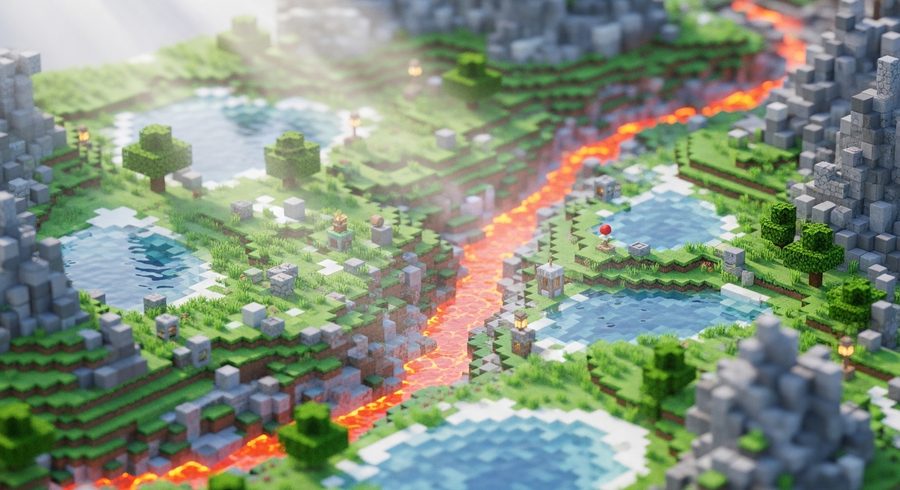
Minecraft Ray Tracing: How to Enable RTX in 2026
A no-nonsense 2026 guide to Minecraft ray tracing: what you need for Bedrock RTX, how to turn it on, and the Iris shader route for Java players who don't have it built in.
Ray tracing turns Minecraft’s blocky world into something that genuinely plays with light: reflections in water, sunlight bleeding through stained glass, torches that actually cast a warm glow into a cave. Getting it running isn’t hard, but the exact path depends entirely on which version you play. Bedrock has it built in. Java does not. Here’s how to handle both in 2026.
Minecraft ray tracing on Bedrock: what you need first
Official Minecraft RTX lives in the Bedrock edition on Windows, and it has real hardware requirements. Before you touch a setting, confirm you have:
- Windows (10 or 11, 64-bit) running the Bedrock edition of Minecraft
- A supported GPU: NVIDIA GeForce RTX 20-series or newer, or an AMD Radeon RX 6000-series or newer
- Current graphics drivers. NVIDIA’s Game Ready drivers should be recent; as of early 2026 you want version 551.23 or newer at minimum
- An RTX or PBR resource pack to apply to your world
That last point is the one people miss. Minecraft’s ray tracing doesn’t switch on just because your card supports it. It needs textures that carry the extra physical data (how metallic, rough or emissive each block is), and that data comes from a PBR resource pack. Without one applied, the toggle often won’t appear at all.
How to turn on Minecraft RTX (Bedrock)
Once the box above is ticked, the steps are short:
- Get a PBR/RTX resource pack. Several are free from the in-game Marketplace, and the community makes plenty more.
- Load into the world you want, open its settings, and apply the resource pack under the resource packs list.
- Go to Settings, then Video. With a supported GPU and an active PBR pack, a Ray Tracing toggle appears in the graphics options.
- Turn it on, set your render distance to taste, and back out to the world.
If the toggle is missing or greyed out, work back through the requirements: no pack applied, drivers or GPU below spec, or you’ve accidentally launched Java. Those three cover nearly every case.
Expect a real performance cost. Ray tracing is demanding, so if frames drop hard, pull render distance down before anything else. It’s the single biggest lever.
The Java route: shaders through Iris and Sodium
Java Edition has no official RTX button, and that trips up a lot of players who assume every version works the same way. What Java does have is a mature shader scene that gets you comparable, sometimes more extreme, results.
The modern 2026 setup is Fabric plus Sodium plus Iris:
- Sodium is a rendering optimization mod. It rebuilds how Java draws chunks and reclaims the frames that shaders are about to eat.
- Iris is the shader loader. It reads standard OptiFine-format shader packs and, importantly, ships bundled with Sodium so the two are already working together.
Install Fabric, drop Iris (with its bundled Sodium) into your mods folder, launch the Fabric profile, then load a ray-traced or path-traced shader pack from the shaders screen. Popular packs push lighting from “nice” to “is this the same game,” with a matching hit to frame rate.
For 2026, reach for Iris by default. The old advice to run OptiFine only really applies if you’re stuck maintaining a pre-1.16 world that a newer loader won’t cooperate with. For everything current, Iris and Sodium is the cleaner, faster combination.
One honest caveat: this is shaders, not Minecraft’s official ray tracing. It approximates the look rather than using the same engine feature Bedrock exposes. In practice most players can’t tell, and many prefer the shader results, but it’s worth knowing which one you’re actually running.
Squeezing out performance
Whichever path you take, ray-traced light is expensive. A few reliable dials:
- Render distance is the heaviest cost. Trimming it a few chunks buys back more frames than anything else.
- Match the shader or pack to your card. Many offer low, medium and ultra presets. Start lower and climb.
- Keep drivers current. Both NVIDIA and AMD ship optimizations that quietly raise frame rates in exactly this kind of workload.
- Close background apps. Ray tracing leans on both GPU and VRAM, so a browser hoarding memory in the background genuinely hurts.
Get the requirements right and the setup itself takes a few minutes. The reward is a version of Minecraft that lights its own world, which is hard to walk back from once you’ve seen it.
How do I turn on Minecraft ray tracing?
On Bedrock (Windows), install a PBR/RTX resource pack, activate it on your world, and the ray tracing toggle appears under video settings on supported hardware. On Java there's no official button; you install a shader pack through Iris and Sodium instead.
What do I need for Minecraft RTX on Bedrock?
A Windows PC, the Bedrock edition of Minecraft, a current NVIDIA GeForce RTX 20-series (or newer) or AMD Radeon RX 6000-series (or newer) GPU, up-to-date Game Ready drivers, and an RTX/PBR resource pack applied to the world.
Can Java Edition do ray tracing?
Not officially. Java has no built-in RTX. You get comparable lighting by running a ray-traced or path-traced shader pack through Iris, with Sodium handling the frame rate. It looks the part but it's shaders, not Minecraft's official RTX feature.
Why is the ray tracing option greyed out or missing?
Almost always one of three things: your world doesn't have a PBR/RTX resource pack applied, your GPU or drivers don't meet the requirement, or you're on Java Edition, which doesn't expose the toggle at all.