
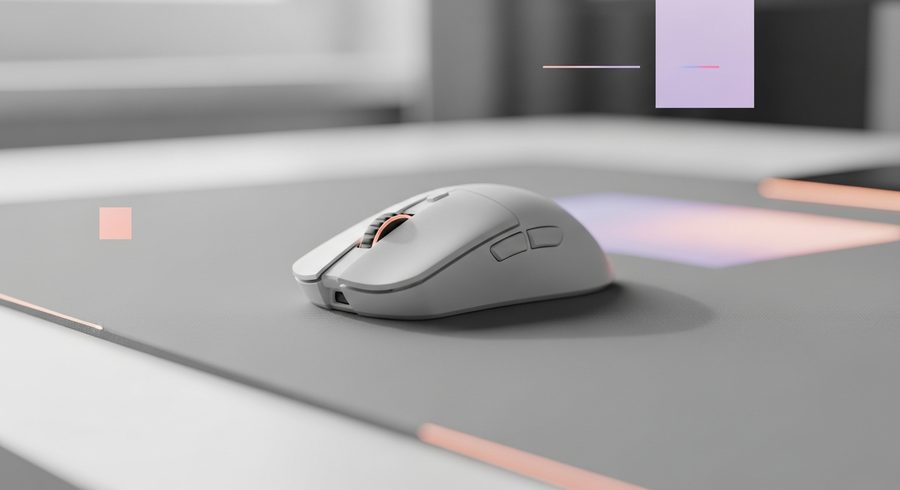
The Esports Mouse Question: 7 Wireless Picks We'd Actually Grip in 2026
What makes an esports mouse worth the money in 2026, from the 54g flagships pros use to the little wireless gaming laptop mouse that lives in your bag.
The esports mouse used to be a niche purchase: a handful of pros, a handful of shapes, and a lot of honeycomb holes drilled into plastic to save four grams. In 2026 the whole category grew up. Flagships weigh 54 grams without looking like a cheese grater, budget boards ship 4000Hz sensors, and the wireless-versus-wired debate is basically settled.
We tested this lineup the way you actually use a mouse: a week of ranked shooters each, a MOBA for the spam-click comfort check, and a few travel days to see which one earns a spot in the bag. Some of these are aimed at winning tournaments. One of them just wants to fit in your laptop sleeve.
How we picked
Three things set the order, in this priority: sensor and latency (can it keep up with an 8000Hz-capable rig without a single skip), shape and weight (a mouse you fight is a mouse you lose with, no matter the specs), and wireless reliability over long sessions. Price then adjusts the ranking. A $70 board that does 90 percent of a $160 one is going to place well here.
We skip lab-only metrics that never show up in a match. If a difference doesn’t survive a real ranked session, it didn’t make the writeup.
The short version
For most competitive players, the Razer Viper V3 Pro is the esports mouse to buy: light, fast, and boringly reliable. Prefer an ergonomic shape? The Razer DeathAdder V4 Pro gives you the classic curve without the old weight. On a budget, the Pulsar X2H is the value story of the year. And if you just want something small that lives in your bag, the Logitech G305 Lightspeed is the wireless gaming laptop mouse we hand to everyone.
Full rankings, with what each one nails and where it slips, are below.
Razer Viper V3 Pro
The 35K Focus Pro sensor and 8000Hz polling are the easy headlines. What actually wins it is the 54g symmetrical shell that disappears in your hand after ten minutes. This is the esports mouse most pros reach for, and the latency numbers explain why.
- 54g and it feels it
- Sub-1ms latency you can trust
- Optical switches that just don't rattle
- Symmetrical shape suits claw more than palm
- You pay flagship money
Logitech G Pro X2 Superstrike
HERO 2 sensor, 8000Hz, 50 grams, and a haptic trigger that sounds gimmicky until you feel it in a shooter. RTINGS calls it the best mouse they've tested and we won't argue hard.
- Featherweight without feeling hollow
- Excellent for claw and fingertip
- Top-tier build quality
- Priciest here
- Haptics won't be for everyone
Pulsar X2H
A 42K sensor, 4000Hz polling and a 55g honeycomb shell for roughly $70. The X2 line proved you don't need a flagship budget to compete, and the hump suits mid-hand palm grips the symmetrical crowd ignores.
- Genuine esports specs, budget price
- Comfortable hump for palm grip
- Light without honeycomb creak
- Coating shows wear over time
- Software is basic
Razer DeathAdder V4 Pro
The shape that's sold for a decade, finally on modern internals. If the flat symmetrical boards give your wrist grief, this is the ergonomic answer with none of the old weight penalty.
- The classic right-hand shape, done light
- Rock-solid wireless
- Comfortable for long sessions
- Right-hand only
- Bigger than the featherweights
Razer Orochi V2
Tiny, feather-light and runs for ages on a single AA. Bluetooth mode means you can leave the dongle at home entirely, which is why it's our travel and small-hands pick.
- Genuinely small
- AA battery lasts forever
- Dual wireless, dongle optional
- Too small for large palms
- No charging port
Logitech G305 Lightspeed
The wireless gaming laptop mouse we recommend without caveats. Under $50, HERO 12K sensor, 250 hours on one AA, and a dongle that stashes under the palm rest so you never lose it in transit.
- Under $50
- Dongle storage on board
- 250-hour battery
- Heavier than the flagships
- Dated shape
Zowie EC3-CW
No app, no RGB, no fuss. The EC shape is a Counter-Strike institution and the wireless version keeps the plug-and-play ethos. You set DPI on the mouse and never think about it again.
- Zero software needed
- Iconic ergo shape
- Set-and-forget simplicity
- No customization at all
- Plain, and proud of it
What is an esports mouse, and do I need one?
An esports mouse is built around three things: a light shell (usually under 60g), a top-tier sensor with high polling, and low, consistent latency. If you play competitive shooters, an e sports mouse genuinely helps your aim stay controllable during fast flicks. For everything else, comfort and shape matter more than a spec sheet.
Is a wired or wireless e sports mouse better in 2026?
Wireless won this argument. Modern LIGHTSPEED and HyperSpeed connections match wired latency, and no cable means no drag on your aim. The only reason to go wired now is budget.
What's the best wireless gaming laptop mouse for travel?
The Logitech G305 Lightspeed. It's small, runs 250 hours on one AA, and hides its USB dongle under the palm rest so it survives a backpack. The Razer Orochi V2 is the lighter, pricier alternative if you want Bluetooth as a backup.
How light should a competitive mouse be?
Somewhere between 50g and 65g is the sweet spot for most hands. Lighter feels faster on flicks but can get twitchy on micro-adjustments. If you're new to featherweights, start around 60g rather than chasing the lightest number.